The Complete Smart IPTV Setup Guide For Android TV And Smart TV
What is IPTV and How Does It Work?
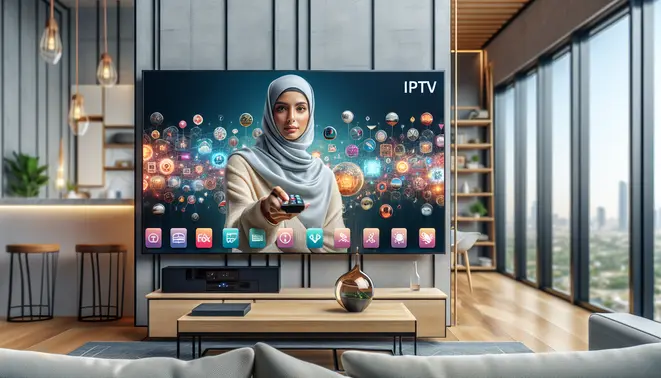
Internet Protocol Television (IPTV) represents a fundamental shift in how television content is delivered to viewers. Unlike traditional cable or satellite services that broadcast signals through physical infrastructure, IPTV transmits television programming using internet protocol networks. This technology converts traditional TV signals into digital data packets that travel across broadband connections directly to your device.
The core difference lies in delivery methodology. Traditional cable operates on a broadcast model where all channels are sent simultaneously, while IPTV uses a unicast approach that sends content only when you request it. This on-demand delivery system enables more efficient bandwidth usage and personalized viewing experiences. According to industry analysis, IPTV’s market share continues to grow as consumers seek more flexible entertainment options [Source: Grand View Research].
Key Differences Between IPTV and Traditional Cable
Several critical distinctions separate modern IPTV services from conventional cable television:
- Content Delivery: Cable relies on dedicated coaxial cables and broadcast towers, while IPTV uses existing internet infrastructure
- Viewing Flexibility: Traditional cable typically requires set-top boxes and fixed television sets, whereas IPTV works across multiple devices including smartphones, tablets, and computers
- Channel Access: Cable packages often include predetermined channel bundles, while IPTV frequently offers more customizable options
- Interactive Features: IPTV platforms typically incorporate advanced features like video-on-demand, catch-up TV, and interactive programming guides
These technological differences translate to practical advantages for viewers seeking greater control over their entertainment experience. Meanwhile, the transition from physical infrastructure to internet-based delivery has opened new possibilities for content personalization and accessibility.
Benefits of Modern Smart IPTV Systems
Today’s advanced Smart IPTV systems offer numerous advantages that enhance the home entertainment experience:
Superior Content Accessibility stands out as a primary benefit. Modern IPTV services provide access to extensive content libraries that often surpass traditional cable offerings. Furthermore, these systems enable viewing across multiple devices simultaneously, allowing family members to watch different programs on various screens. This multi-screen capability has become increasingly valuable in households with diverse viewing preferences.
Enhanced Viewing Features represent another significant advantage. Smart IPTV platforms typically include sophisticated digital video recording (DVR) functionality, enabling viewers to record multiple shows simultaneously without storage limitations. Additionally, features like pause, rewind, and fast-forward live TV provide unprecedented control over viewing schedules. The integration of personalized recommendations and advanced search functions further simplifies content discovery.
Cost Efficiency remains a compelling reason for many consumers to choose IPTV. Without the infrastructure costs associated with traditional cable, many IPTV providers can offer competitive pricing structures. Moreover, the ability to select specific channel packages rather than predetermined bundles helps viewers avoid paying for unwanted content. For those exploring options, our complete IPTV subscription guide provides detailed comparisons of available services.
Technical Advantages of IPTV Infrastructure
The underlying technology of IPTV delivers several technical benefits that improve reliability and performance. Internet-based transmission enables higher quality video streams, including support for 4K and HDR content that may be limited on traditional cable systems. Additionally, IPTV’s two-way communication capability facilitates immediate feedback and interaction, enabling features like real-time voting, gaming, and shopping directly through the television interface.
Network efficiency represents another technical advantage. IPTV systems can dynamically adjust video quality based on available bandwidth, ensuring smooth playback even during network congestion. This adaptive streaming technology provides a more consistent viewing experience compared to traditional broadcast methods that may suffer from signal degradation.
For sports enthusiasts specifically, IPTV offers specialized benefits including multi-angle viewing options, instant replays, and comprehensive statistics integration. Our sports IPTV investigation guide explores these features in greater detail, highlighting how modern technology enhances live sports viewing.
Future-Proof Entertainment Solution
IPTV technology continues to evolve alongside internet infrastructure improvements. The expansion of fiber-optic networks and 5G technology promises even higher quality streams with reduced latency. Meanwhile, integration with smart home systems and voice assistants creates increasingly seamless entertainment ecosystems.
The scalability of IPTV systems allows for continuous feature enhancements without requiring hardware replacements. Consequently, subscribers benefit from regular software updates that introduce new functionality and improve existing features. This forward compatibility ensures that IPTV investments remain relevant as technology advances.
As consumer preferences shift toward personalized, on-demand content, IPTV’s internet-native architecture positions it as the logical successor to traditional broadcast television. The technology’s inherent flexibility supports emerging trends like cloud gaming, virtual reality integration, and social viewing experiences that traditional cable systems struggle to accommodate.
Essential Hardware and Setup Requirements
Before diving into the world of Smart IPTV, you’ll need compatible hardware to stream content to your television. The most common devices include Smart TVs with built-in app stores, streaming sticks like Amazon Fire TV or Roku, and gaming consoles. For the best experience, ensure your device supports the Smart IPTV app, which is widely available on platforms like Samsung Smart TVs, LG Content Store, and Android TV devices.
Many users find that dedicated streaming devices offer superior performance compared to built-in smart TV apps. These devices often receive more frequent updates and provide smoother navigation. Additionally, consider investing in an Ethernet adapter for wired connectivity, as this can significantly improve streaming stability over Wi-Fi, especially for high-definition content.
Internet Speed Requirements for Buffer-Free Streaming
Reliable internet connectivity is crucial for uninterrupted IPTV viewing. For standard definition (SD) streams, a minimum of 3-5 Mbps is recommended, while high definition (HD) content typically requires 8-10 Mbps. If you’re planning to watch 4K Ultra HD content, you’ll need at least 25 Mbps for optimal performance [Source: Federal Communications Commission].
However, these are minimum requirements. For households with multiple simultaneous streams or other internet activities, consider higher speeds. A stable connection is equally important—even with sufficient bandwidth, inconsistent internet can cause buffering. For the best results, use a wired Ethernet connection when possible, or ensure your Wi-Fi signal is strong near your streaming device.
Choosing a Reliable IPTV Service Provider
Selecting the right IPTV provider is perhaps the most critical step in your setup process. Look for services that offer comprehensive channel lineups, reliable uptime, and excellent customer support. Our complete IPTV subscription guide provides detailed comparisons of top providers to help you make an informed decision.
Before committing to a long-term subscription, take advantage of free trial periods offered by many reputable providers. These trials allow you to test stream quality, channel selection, and overall service reliability. Our guide to IPTV free trials explains how to properly evaluate services during these trial periods.
Key Considerations When Selecting a Provider
- Content Selection: Ensure the provider offers channels and content that match your viewing preferences, whether that’s sports, international programming, or premium movie channels.
- Stream Quality: Look for providers offering HD and 4K content if you have the hardware and internet speed to support it. Our 4K IPTV guide covers what to expect from ultra-high-definition streaming services.
- Device Compatibility: Verify that the service works with your specific streaming device and the Smart IPTV application.
- Customer Support: Responsive customer service can be invaluable when troubleshooting technical issues.
For specialized content needs, consider providers focusing on specific genres or languages. Sports enthusiasts should consult our sports IPTV investigation guide, while those seeking international content might benefit from our Arabic IPTV guide or Latino IPTV guide for targeted recommendations.
Finally, always prioritize legal IPTV services that properly license their content. Legitimate providers ensure better reliability, higher quality streams, and support for content creators, while avoiding the potential legal issues associated with unauthorized services.
Installing Smart IPTV on Various Devices
Installing Smart IPTV on your Android TV device is straightforward through the Google Play Store. First, navigate to the Play Store using your remote. Then, search for “Smart IPTV” using the on-screen keyboard. Select the official app from the search results and click “Install.” Once downloaded, the app will appear in your app library, ready for setup with your IPTV subscription details.
Installing IPTV Apps on Popular Smart TV Brands
Most modern Smart TVs support IPTV applications, though the installation process varies significantly between operating systems. Samsung’s Tizen OS and LG’s webOS have dedicated app stores where you can search for and download popular IPTV players. However, these official stores often restrict certain third-party applications due to platform policies.
For Android TV and Google TV models, the Google Play Store offers the widest selection of IPTV apps, including well-known options like IPTV Smarters Pro and TiviMate. Sony, Hisense, and TCL Smart TVs typically run on the Android TV platform, providing a consistent installation experience across these brands. Meanwhile, Roku TV devices maintain a more curated app ecosystem, which can limit available IPTV options compared to Android-based systems.
Alternative IPTV Apps for Different Platforms
If Smart IPTV isn’t available or doesn’t meet your needs, several excellent alternatives exist. TiviMate is widely regarded as one of the best IPTV players for Android TV, offering a premium interface and robust features. Another popular option is IPTV Smarters Pro, which provides a user-friendly experience and supports multiple playlist formats. For those seeking a free alternative, OTT Navigator offers extensive customization options.
Furthermore, Perfect Player IPTV is known for its simple setup and reliable performance. Each app has unique strengths, so trying a few during a free trial period can help you determine which best suits your viewing preferences and device capabilities.
Alternative Installation Methods for Restricted Platforms
When official app stores don’t offer your preferred IPTV application, sideloading becomes necessary. This involves installing applications from third-party sources outside the official store. For Samsung and LG TVs, developers sometimes create “developer mode” workarounds that allow temporary installation of unsupported apps, though these methods can be complex for average users.
Android TV users benefit from greater flexibility, as they can easily sideload APK files using tools like Downloader or by transferring files via USB. This approach opens access to hundreds of IPTV applications not available on the Google Play Store. Always ensure you download APK files from reputable sources to avoid security risks.
Troubleshooting Common Installation Issues
Sometimes, installation problems can occur. If an app won’t install from the Google Play Store, first check your internet connection and ensure you have sufficient storage space. Restarting your Android TV device can also resolve temporary glitches. For apps not available in your region, you might need to use a different method.
Installing via APK files is a common workaround. To do this safely, enable “Unknown Sources” in your device’s security settings. Then, download the APK from the official developer website using a browser like Downloader. However, always exercise caution with third-party sources to avoid security risks. If playback issues arise after installation, ensure your subscription supports your desired video quality and that your internet speed meets the requirements.
Configuring Your Smart IPTV Setup
M3U playlists serve as the foundation of your IPTV experience, containing the channel URLs and metadata that your Smart IPTV app needs to stream content. To add a playlist, first obtain your M3U URL from your IPTV provider—this typically comes in your welcome email or account dashboard. Within your Smart IPTV application, navigate to the settings or playlist section and select “Add Playlist” or “Add URL.” Paste your M3U link precisely as provided, then save the configuration. Your app will automatically fetch and process the channel list, which may take several minutes depending on playlist size.
For users seeking reliable IPTV providers, our complete IPTV subscription guide offers detailed recommendations and evaluation criteria. Additionally, many services provide IPTV free trials that allow you to test playlist compatibility before committing to a subscription.
Organizing Your Channel Collection
After importing your M3U playlist, you’ll likely encounter hundreds or even thousands of channels. Smart IPTV applications typically include organizational tools to help you manage this content effectively. Create custom folders or categories by genre—such as Sports, News, Movies, or Kids—to streamline navigation. Most apps allow you to hide unwanted channels, create favorites lists for quick access, and reorder channels according to your viewing preferences.
For specialized content organization, consider our targeted guides for sports IPTV, Arabic IPTV, and Latino IPTV services, which include specific channel organization strategies for these content categories.
Implementing Parental Controls
Parental controls are essential for households with children, allowing you to restrict access to age-inappropriate content. Within your Smart IPTV settings, locate the parental controls section and set a secure PIN code that others cannot easily guess. You can then apply restrictions in several ways:
- Block specific channels based on content rating
- Set viewing time limits for certain profiles
- Restrict access to entire categories like adult entertainment
- Create separate user profiles with customized restrictions
According to Common Sense Media, effective parental controls should balance protection with age-appropriate access, allowing children to develop media literacy while maintaining safety boundaries.
Optimizing Streaming Settings
Proper streaming configuration ensures smooth playback and minimizes buffering issues. Begin by adjusting video quality settings based on your internet connection speed—select lower resolutions like 720p if you experience frequent buffering, or higher qualities like 4K if your bandwidth supports it. Enable hardware acceleration if available, as this offloads video decoding to your device’s GPU for improved performance.
For optimal 4K streaming, ensure your setup meets the requirements outlined in our 4K IPTV subscription guide, including sufficient bandwidth and compatible hardware. Buffer size adjustments can also significantly impact streaming stability; increase buffer settings if you experience intermittent freezing, though this may slightly increase channel switching times.
Advanced users should explore EPG (Electronic Program Guide) configuration to enhance the viewing experience with program schedules and descriptions. Most Smart IPTV apps allow you to import EPG data from your provider, typically through a separate URL similar to the M3U playlist. Proper EPG setup transforms your channel list into an interactive TV guide, complete with program information and recording capabilities where supported.
Finally, regularly update your Smart IPTV application to access the latest features and security patches. Many streaming issues can be resolved simply by ensuring you’re running the most current version of your chosen IPTV software.
Advanced Smart IPTV Features
External Player Integration
Smart IPTV’s compatibility with external media players unlocks superior video processing and format support. By integrating players like VLC or MX Player, you can access advanced codec handling and hardware acceleration features that significantly improve streaming quality. This approach allows you to bypass the built-in player’s limitations and leverage specialized decoding capabilities for challenging video formats.
Configuration typically involves enabling external player support in Smart IPTV’s settings and selecting your preferred application. Once activated, the app automatically launches your chosen player when loading streams, providing enhanced control over playback parameters and performance optimization. This setup proves particularly valuable for handling high-bitrate content and maintaining smooth playback on devices with limited processing power.