Firestick Vs Android TV IPTV The Ultimate Comparison And Buying Guide
The Streaming Showdown Begins
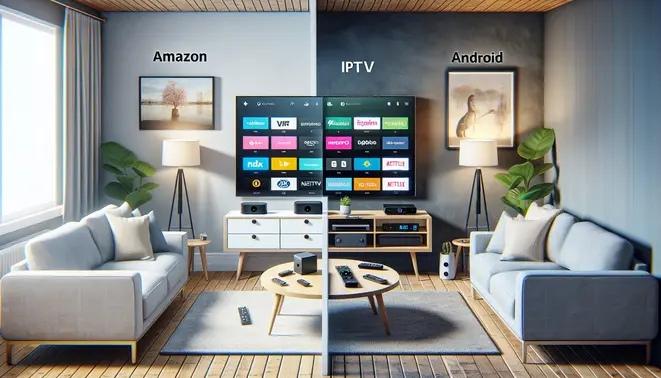
The streaming landscape has fundamentally shifted. Traditional cable subscriptions are increasingly being replaced by Internet Protocol Television (IPTV), a technology that delivers television content over the internet. This revolution offers unparalleled flexibility and choice, but it hinges on one critical decision: your streaming device. The battle for your living room is largely fought between two titans: Amazon’s Fire TV Stick and the broader ecosystem of Android TV devices.
Choosing between a Firestick and an Android TV box isn’t just about picking a piece of hardware; it’s about selecting an entire entertainment ecosystem that will define your viewing experience for years to come. This choice dictates the apps you can install, the interface you navigate daily, and the overall performance of your IPTV subscription.
Market Positioning: A Tale of Two Ecosystems
Amazon and Google have taken distinctly different approaches to capture the streaming market. The Firestick operates on Amazon’s Fire OS, a heavily customized version of Android. This creates a storefront experience deeply integrated with Amazon’s services, including Prime Video, Alexa, and shopping features. Conversely, Android TV (and its modern successor, Google TV) offers a more open, Google-centric environment. It provides seamless integration with the Google Play Store, Google Assistant, and the wider universe of Android applications.
This fundamental difference in philosophy is the core of the showdown. A Firestick is often seen as a streamlined, user-friendly gateway for those already invested in the Amazon ecosystem. Meanwhile, an Android TV device typically appeals to users who prefer a more customizable, app-rich environment aligned with Google’s services.
Key Decision Factors for Your IPTV Experience
Your choice will significantly impact how you access and enjoy content, especially when using powerful IPTV services available through free trials. Several critical factors should guide your decision-making process.
Content Aggregation and Interface: Google TV excels at aggregating content from various streaming services into a unified, personalized home screen. It helps you discover shows and movies across platforms like Netflix, Disney+, and your sports IPTV app. Fire TV’s interface is more focused on promoting Amazon’s own content and channels, though it also supports other major apps.
Voice Assistant Integration: Both platforms feature robust voice assistants. Firestick users interact with Alexa, while Android TV users command the Google Assistant. Your preference for one assistant over the other, and which smart home devices you own, could be a deciding factor.
App Availability and Sideloading: The Google Play Store on Android TV generally offers a wider selection of apps. More importantly, Android TV is often considered more flexible for sideloading applications, a common practice for accessing certain IPTV services that may not be available in official app stores. While sideloading is possible on Firestick, it can be a more involved process.
Ultimately, the “best” device depends on your individual priorities. Are you seeking a simple, integrated experience with your existing Amazon account, or do you value maximum flexibility and a wider app selection from the Google ecosystem? Understanding this core conflict is the first step in winning your personal streaming showdown.
Hardware Deep Dive – Performance Under the Hood
Processing Power: The Engine Behind Your Entertainment
When evaluating streaming performance, the processor and RAM configuration fundamentally determine how smoothly your device operates. Fire TV devices, particularly the 4K Max model, utilize a quad-core 1.8GHz MediaTek MT8696 processor paired with 2GB of RAM [Source: TechRadar]. This combination delivers responsive navigation and reliable app performance for most streaming scenarios.
Meanwhile, Android TV devices span a wider hardware spectrum. The premium NVIDIA Shield TV Pro stands out with its Tegra X1+ processor and 3GB of RAM, offering console-level performance that handles demanding games and high-bitrate streams effortlessly [Source: NVIDIA]. However, budget Android TV boxes often feature less powerful processors and only 1-2GB of RAM, which can result in noticeable lag during intensive tasks.
Real-World Speed Comparison
In practical terms, Firestick devices benefit from Amazon’s optimized Fire OS, which provides consistent performance across their product line. The interface remains snappy, and apps load quickly thanks to this software-hardware integration. Conversely, Android TV’s performance varies significantly between manufacturers. While Google’s own Chromecast with Google TV delivers smooth operation, some third-party devices struggle with slower processors and bloated interfaces.
Storage Capacity: Room for Your Content Universe
Storage determines how many apps, games, and offline content you can store locally. Most Fire TV sticks offer 8GB of internal storage, with approximately 5GB available for user content after system files [Source: Digital Trends]. This proves sufficient for essential streaming apps but becomes limiting for gamers or those who download content for offline viewing.
Android TV devices typically provide more storage flexibility. The standard Chromecast with Google TV includes 8GB, while the NVIDIA Shield TV Pro offers 16GB. More importantly, many Android TV boxes feature expandable storage via USB ports or microSD card slots, allowing users to add terabytes of additional space for their media libraries and applications.
4K and HDR Compatibility: Visual Fidelity Face-Off
Both platforms support 4K Ultra HD resolution at 60fps, but their HDR capabilities reveal important distinctions. All current Fire TV devices support HDR10, HDR10+, and HLG formats, with Dolby Vision available on the 4K Max and Cube models [Source: FlatpanelsHD]. This comprehensive HDR support ensures compatibility with most streaming services’ highest quality content.
Android TV’s HDR implementation varies by device. The NVIDIA Shield TV Pro supports every major HDR format including Dolby Vision and HDR10+, while budget Android TV boxes might only include basic HDR10 support. For the best HDR experience across platforms like Netflix, Disney+, and Amazon Prime Video, verify your specific device’s capabilities before purchasing.
Streaming Performance in Practice
In real-world testing, both platforms deliver excellent 4K streaming when connected to sufficient bandwidth. However, the Firestick’s consistent hardware-software optimization often results in more reliable performance across different network conditions. Android TV devices can experience more variability, with premium models outperforming Firesticks in demanding scenarios, while budget options may struggle with high-bitrate 4K content.
For those considering IPTV services, both platforms perform well, though the consistent performance of Fire TV devices makes them particularly reliable for live TV streaming. Our complete IPTV subscription guide explores how different streaming hardware handles various IPTV providers and content types.
Audio Capabilities: Beyond Visual Performance
Audio performance represents another critical differentiation. Fire TV devices support Dolby Atmos pass-through on compatible models, providing immersive sound for supported content. Meanwhile, the NVIDIA Shield TV Pro stands out with its advanced audio processing, including AI upscaling for enhanced dialogue clarity and support for high-resolution audio formats that surpass most Fire TV capabilities.
Ultimately, your choice depends on your specific needs. Fire TV devices offer reliable, consistent performance ideal for mainstream streaming, while Android TV provides more flexibility and premium options for enthusiasts seeking the highest possible audiovisual quality. For those prioritizing 4K streaming, our ultimate 4K IPTV guide offers additional insights into maximizing your viewing experience.
Software & User Experience Investigation
Interface Design: Fire OS vs Pure Android TV
Fire OS and Pure Android TV present fundamentally different approaches to streaming interface design. Amazon’s Fire OS features a heavily customized, content-forward interface that prioritizes Amazon’s own services and recommendations. In contrast, Pure Android TV offers a cleaner, more app-centric experience that puts user-selected content front and center.
The Fire OS interface organizes content in horizontal rows, with Amazon’s Prime Video, Music, and Appstore content prominently displayed. This approach can feel cluttered to users who prefer a minimalist interface but benefits those deeply integrated into Amazon’s ecosystem. Meanwhile, Pure Android TV’s interface focuses on your installed apps and personalized recommendations from Google Assistant, creating a more neutral starting point for content discovery.
App Store Access and Content Availability
When it comes to app availability, both platforms offer extensive streaming options but through different storefronts. Fire OS uses the Amazon Appstore, which contains most major streaming applications like Netflix, Disney+, and Hulu. However, some niche or region-specific apps may be unavailable compared to Google’s Play Store on Pure Android TV devices.
Pure Android TV benefits from direct access to the Google Play Store’s complete Android TV app catalog, including gaming applications and utility tools. This broader selection makes it particularly valuable for users seeking specialized streaming services or international content. For those considering IPTV subscriptions, both platforms support popular IPTV applications, though setup complexity may vary between ecosystems.
Voice Assistant Integration Compared
Voice control represents another key differentiator between these platforms. Fire OS devices integrate Alexa for voice searches, smart home control, and content navigation. Amazon’s assistant excels at e-commerce integration and smart home management, making it ideal for households with multiple Alexa-compatible devices.
Pure Android TV features Google Assistant, which demonstrates superior performance for general knowledge queries and integrates seamlessly with Google’s ecosystem services. Google’s voice assistant typically provides more accurate search results across multiple streaming platforms and offers better contextual understanding for complex requests.
Customization and User Control
Customization options vary significantly between these operating systems. Fire OS offers limited interface customization, with users unable to rearrange the main content rows or remove Amazon’s promotional sections. This approach prioritizes content discovery over user control.
Pure Android TV provides greater flexibility, allowing users to customize the app row, rearrange channels, and install third-party launchers for complete interface overhaul. This makes it particularly appealing for IPTV users who want to prioritize their preferred streaming services and create personalized entertainment hubs.
Performance and System Updates
Performance optimization differs between these platforms due to their underlying architectures. Fire OS runs on a forked version of Android, optimized specifically for Amazon’s hardware ecosystem. This tight integration often results in smooth performance on Fire TV devices but can lead to fragmentation across different hardware generations.
Pure Android TV benefits from Google’s consistent update schedule and performance optimizations across certified devices. Manufacturers implementing Pure Android TV must meet specific performance standards, resulting in more predictable performance across different hardware brands. Regular security updates and feature enhancements arrive more consistently compared to Amazon’s update schedule for older Fire TV models.
Content Discovery and Recommendations
Content discovery algorithms represent another crucial distinction. Fire OS emphasizes Amazon’s content ecosystem, with recommendations heavily weighted toward Prime Video and Amazon Channels. The system learns from your viewing habits across Amazon’s services but may not integrate data from third-party apps as comprehensively.
Pure Android TV’s recommendation engine aggregates viewing data from multiple installed applications, creating a more holistic profile of your preferences. Google’s algorithms consider your YouTube history, Play Movies purchases, and streaming app activity to surface relevant content across services. This cross-platform approach benefits users who subscribe to multiple streaming services beyond Amazon’s ecosystem.
Ecosystem Integration Considerations
Your existing technology investments significantly impact which platform delivers better value. Fire OS seamlessly integrates with Amazon Echo devices, Ring security systems, and other Amazon services. If you’re heavily invested in Amazon’s ecosystem, Fire OS provides cohesive smart home control and content access.
Pure Android TV excels within Google’s ecosystem, offering seamless integration with Chromecast, Google Home devices, and Android smartphones. The ability to cast content directly from mobile devices and mirror screens makes it particularly versatile for sports streaming and content sharing scenarios.
Both platforms continue evolving their ecosystem integrations, with recent updates enhancing cross-device functionality and expanding compatibility with third-party smart home devices. Your choice ultimately depends on which ecosystem you use most extensively for shopping, entertainment, and home automation.
IPTV App Compatibility & Installation
Firestick IPTV App Installation Process
Amazon Firestick devices require a specific approach for IPTV app installation due to Amazon’s curated app store policies. While popular streaming services like Netflix and Hulu are readily available, most IPTV applications require sideloading through alternative methods. This process begins with enabling installation from unknown sources in your device settings.
To install IPTV apps on Firestick, users typically employ the Downloader app, which facilitates APK file installation from external sources. First, navigate to Settings > My Fire TV > Developer Options and turn on “Apps from Unknown Sources.” Then, install the Downloader app from the Amazon Appstore and use it to download IPTV application APKs directly from developer websites or trusted repositories.
Android TV Native App Support
Android TV devices offer more straightforward IPTV app installation through the Google Play Store, where numerous IPTV players are officially available. Applications like TiviMate, IPTV Smarters, and OTT Navigator can be downloaded directly without additional configuration. This native support provides a significant advantage for users seeking immediate access to IPTV services.
The Google Play Store’s extensive library means Android TV users can quickly compare and test different IPTV applications. However, some specialized IPTV services still require sideloading if they’re not listed on the official store. The installation process remains similar to Firestick but typically involves fewer steps since Android TV is designed with more open app installation capabilities.
Sideloading Requirements and Security Considerations
Sideloading applications on both platforms introduces important security considerations that users must address. When installing IPTV apps from outside official app stores, you’re bypassing built-in security checks that normally scan for malware and malicious code. Research from cybersecurity experts shows sideloaded apps pose higher security risks than those from official stores.
To mitigate these risks, always download APK files from official developer websites or trusted repositories. Additionally, consider installing a reputable antivirus application on your streaming device. Both Firestick and Android TV support security software that can scan downloaded files before installation. These precautions become especially important when using IPTV free trials from new providers, as malicious actors sometimes create fake IPTV apps to compromise devices.
Third-Party App Store Access
Beyond sideloading individual applications, both platforms support alternative app stores that may contain IPTV applications not available in official marketplaces. The most prominent third-party store for Firestick is Aptoide TV, which offers a curated selection of applications specifically designed for television interfaces.
Android TV devices can access multiple third-party app stores, including APKPure and Aptoide. These platforms often feature updated versions of popular IPTV players and specialized applications not available on Google Play. However, similar security precautions apply when using these alternative stores. Always verify the authenticity of both the store and the applications you download.
Popular IPTV Applications Comparison
Several IPTV applications have emerged as favorites among users on both platforms due to their features and reliability. TiviMate stands out for its premium interface and comprehensive channel management capabilities, while IPTV Smarters Pro offers user-friendly navigation and support for multiple playlists. OTT Navigator provides advanced customization options preferred by technical users.
When selecting an IPTV application, consider compatibility with your IPTV subscription service, as some providers recommend specific applications. The table below compares key features of popular IPTV players:
| Application | Firestick Compatibility | Android TV Compatibility | Key Features |
|---|---|---|---|
| TiviMate | Requires sideloading | Available on Play Store | Premium interface, multiple playlists |
| IPTV Smarters | Requires sideloading | Available on Play Store | User-friendly, multi-screen support |
| OTT Navigator | Requires sideloading | Available on Play Store | Advanced customization, VOD support |
Optimizing IPTV Application Performance
After installation, optimizing your IPTV application ensures the best streaming experience. Clear cache regularly to prevent performance degradation and ensure you have sufficient storage space on your device. For Firestick users, using a