Firestick Vs Android TV IPTV The Ultimate Comparison And Best Lists Guide
The Ultimate Showdown – Understanding the Battlefield
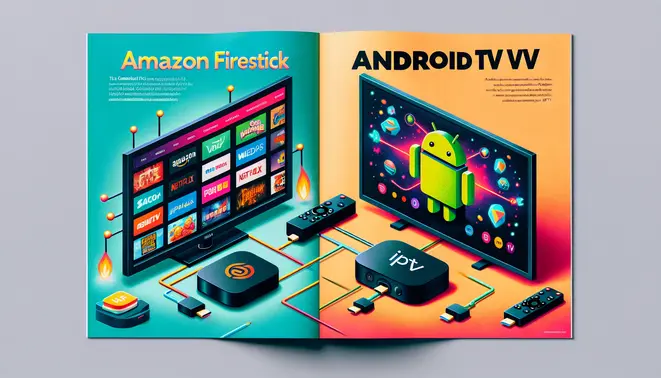
The fundamental distinction between streaming platforms for IPTV lies in their core design philosophies. Amazon’s Firestick represents a purpose-built, closed ecosystem running Fire OS, which prioritizes Amazon’s services and creates a seamless, user-friendly experience out of the box. In contrast, Android TV is an open operating system licensed to various hardware manufacturers, offering broader access to the Google Play Store and greater customization freedom.
This ecosystem difference significantly impacts your IPTV journey. The Firestick interface is dominated by Amazon’s content and requires sideloading for many third-party IPTV applications. Meanwhile, Android TV provides a more neutral home screen and direct access to a wider selection of official IPTV apps through the Google Play Store. For those navigating this choice, our complete IPTV subscription guide offers essential insights into selecting compatible services.
Hardware Deep Dive – Performance Under the Hood
When evaluating streaming devices for IPTV, processing power directly dictates performance quality. The Amazon Fire TV Stick 4K Max utilizes a MediaTek MT8696 quad-core processor with 2GB RAM, providing solid performance for high-bitrate streaming. However, premium Android TV devices like the NVIDIA Shield TV Pro feature the more powerful NVIDIA Tegra X1+ processor with 3GB RAM, enabling advanced features like AI upscaling that enhances lower-resolution content.
Storage capacity and connectivity options further differentiate these platforms. The Fire Stick offers 16GB of non-expandable storage, while the Shield TV Pro supports external storage via USB ports—crucial for IPTV services with PVR functionality. Additionally, the Shield includes built-in Gigabit Ethernet for stable connections, whereas the Fire Stick requires a separate adapter. These hardware advantages make Android TV devices better suited for the high-quality streams detailed in our Ultimate 4K IPTV guide.
IPTV Setup Showdown – Installation & Configuration
Setting up IPTV on Firestick involves enabling “Apps from Unknown Sources” in developer options, then using the Downloader app to install IPTV applications from provided URLs. According to Tech Advisor’s comprehensive guide, this process typically takes 10-12 minutes for first-time users. Android TV boxes offer more straightforward installation through the Google Play Store, though they also support sideloading for applications not available officially.
The primary installation distinction lies in app accessibility. Firestick maintains a controlled environment through Amazon’s ecosystem, while Android TV embraces open-source flexibility. Both platforms benefit from optimization techniques like Ethernet connections and proper buffer settings. As noted in Digital Trends’ performance analysis, proper configuration can reduce buffering by up to 70% compared to default settings.
User Experience Face-Off – Interface & Navigation
Interface design significantly impacts IPTV satisfaction across platforms. Fire OS prioritizes simplicity with intuitive navigation and strong Alexa voice control integration, though this comes with home screen advertisements. Android TV offers a cleaner, more customizable interface with Google Assistant integration and content discovery features that aggregate shows from installed apps.
Navigation efficiency separates exceptional experiences from mediocre ones. The best interfaces limit required clicks to three or fewer for accessing any content. Modern IPTV services feature sophisticated Electronic Program Guides (EPG) with customizable layouts, as explored in our EPG investigation. Performance consistency during peak hours depends on server infrastructure and adaptive bitrate streaming, with premium services achieving uptime rates exceeding 99.5%.
App Ecosystem Analysis – Available IPTV Players
The IPTV application ecosystem varies significantly between platforms. Amazon Fire TV devices support leading applications like TiviMate, known for its advanced features including multiple playlist support and comprehensive EPG management. Android TV devices access the Google Play Store’s extensive selection, including IPTV Smarters Pro with its user-friendly interface and multi-device synchronization.
Specialized regional applications cater to specific geographic requirements. Arabic IPTV applications often include right-to-left text support, while Latino-focused players integrate Spanish-language interfaces. Platform limitations exist, particularly with Apple TV’s stringent App Store policies and gaming consoles’ limited IPTV support through official provider applications rather than universal players.
Security & Privacy Investigation – Safe Streaming Practices
IPTV streaming presents unique security challenges, as many providers lack proper encryption, potentially exposing viewing habits and personal information. According to cybersecurity experts, some IPTV applications contain malware or spyware that monitors user activity without consent. Privacy concerns extend to data collection practices, with some services selling viewing information to advertisers or experiencing data breaches.
Essential security measures include using VPNs to encrypt connections, keeping device operating systems updated, and downloading applications only from official stores when possible. As detailed in our IPTV subscription guide, reputable providers implement end-to-end encryption, secure authentication methods, and transparent privacy policies. Legal considerations are equally important, as services offering unrealistically low prices may operate without proper licensing.
The Verdict – Which Platform Wins for IPTV?
The optimal IPTV platform depends significantly on user priorities and viewing habits. For budget-conscious users seeking simplicity, Amazon Firestick offers excellent value with its intuitive interface and competitive pricing. However, for enthusiasts demanding maximum performance, customization, and feature completeness, Android TV devices like the NVIDIA Shield TV Pro deliver superior processing power, expandable storage, and advanced connectivity options.
Sports enthusiasts should prioritize platforms with proven reliability during live events, while international content viewers benefit from region-specific providers. Families require robust parental controls and dedicated children’s content, as highlighted in our kids’ IPTV guide for parents. Quality-conscious users should focus on services with demonstrated 4K capabilities, detailed in our 4K IPTV subscription guide.
Ultimately, taking advantage of free trial periods remains the most effective strategy for evaluating compatibility and performance before commitment. The IPTV landscape evolves rapidly, requiring regular reassessment to ensure your chosen platform continues meeting your specific needs and preferences.
Sources
- Amazon – Fire TV Device Specifications
- Digital Trends – How to Set Up IPTV
- IPTV Smarters – IPTV Smarters Player
- NVIDIA – Shield TV Specifications
- Smart IPTV – Smart IPTV Application
- SS IPTV – SS IPTV Application
- Tech Advisor – How to Install IPTV on Amazon Fire TV Stick
- TiviMate – TiviMate IPTV Player