The Complete Android TV And Smart TV IPTV Guide
What is IPTV and How Does It Work?
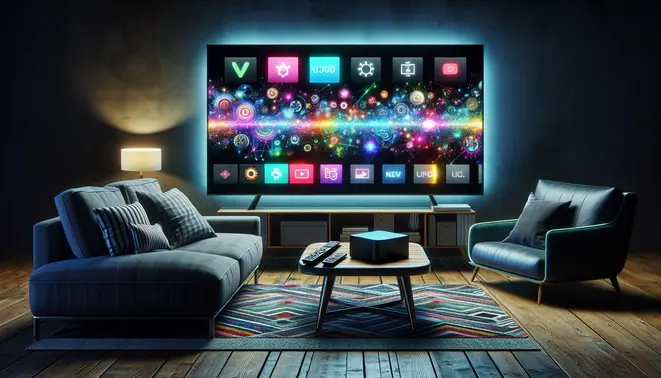
IPTV (Internet Protocol Television) delivers television content over internet networks instead of traditional terrestrial, satellite, or cable formats. Unlike conventional broadcasting that sends all channels simultaneously, IPTV transmits content on-demand through internet protocols. This technology enables viewers to stream media through internet-connected devices including Android TV and Smart TV platforms.
The system operates through three primary service models. Video on Demand (VOD) functions like a digital library, allowing users to select and watch content at their convenience. Time-Shifted Media enables viewers to watch previously aired programming, similar to catch-up TV services. Meanwhile, Live IPTV broadcasts events in real-time, mirroring traditional television but delivered through internet protocols.
The Technical Foundation of IPTV
IPTV relies on Internet Group Management Protocol (IGMP) for streaming live content and Real Time Streaming Protocol (RTSP) for on-demand video. Content delivery networks (CDNs) distribute media efficiently, reducing buffering and ensuring smooth playback. The technology requires a stable internet connection, with most HD streams needing at least 10 Mbps bandwidth for optimal performance.
Service providers maintain content libraries on secure servers, transmitting data in compressed formats to conserve bandwidth. When you select a program, the system retrieves the content from these servers and streams it directly to your device through specialized applications or set-top boxes.
Why IPTV Excels on Android TV and Smart TV Platforms
Android TV and modern Smart TVs provide the perfect ecosystem for IPTV services due to their advanced connectivity and processing capabilities. These platforms support the necessary applications and protocols that make IPTV accessible to average consumers without requiring additional hardware in many cases.
The integration benefits are particularly notable in several key areas. Native app support allows for seamless installation of IPTV applications directly from official app stores. Advanced hardware specifications in modern televisions ensure smooth decoding of high-quality streams, including 4K content. Furthermore, unified interfaces create intuitive user experiences where IPTV content blends naturally with other streaming services.
Connectivity and Performance Advantages
Modern Smart TVs and Android TV devices typically feature robust Wi-Fi and Ethernet connectivity options essential for stable IPTV streaming. Their powerful processors efficiently handle video decoding, while ample RAM prevents buffering during extended viewing sessions. Many current models also include dedicated media acceleration chips that optimize video playback quality.
Platform-specific enhancements further improve the experience. Android TV devices benefit from Google’s extensive app ecosystem, including official IPTV applications and middleware solutions. Meanwhile, webOS, Tizen, and other Smart TV operating systems increasingly support IPTV through their native application frameworks.
Best IPTV Apps for Android TV
OTT Navigator
OTT Navigator is a powerful and highly customizable IPTV player for Android TV that supports a wide range of playlist formats, including M3U and Xtream Codes. Its interface is designed specifically for large screens, providing an intuitive Electronic Program Guide (EPG) and robust parental controls. The application allows for extensive customization of channel lists and groups, making it a favorite among users who prefer a tailored viewing experience. However, its extensive feature set can present a steeper learning curve for beginners compared to simpler alternatives.
IPTV Smarters Pro
IPTV Smarters Pro is one of the most popular and user-friendly IPTV applications available. It features a clean, modern interface that works seamlessly on Android TV devices. The app supports multiple playlist formats and allows you to manage multiple IPTV subscriptions within a single application. Key features include a built-in video player, support for external players, catch-up TV, and a favorites management system. Its widespread use by many IPTV service providers for their branded apps is a testament to its reliability and comprehensive feature set.
TiviMate
TiviMate has gained a strong reputation as a premium IPTV player designed specifically for television viewing. While the companion app on phones is free, the TV version requires a subscription, but it’s widely considered worth the investment for its polished interface and advanced features. It offers an excellent EPG, recording capabilities (depending on your device and service), and a very intuitive channel surfing experience. The application is frequently updated with new features and performance improvements, making it a top choice for users seeking a cable-TV-like experience.
Perfect Player IPTV
Perfect Player IPTV is a versatile application that supports both IPTV streams and local network media. Its key strength lies in its highly customizable interface, allowing users to change themes, layouts, and EPG styles. The app supports M3U playlists and XMLTV EPG sources, providing a reliable and stable viewing experience. While its interface may not be as modern as some competitors, its stability and low resource usage make it an excellent choice for older Android TV devices or users who prioritize performance over flashy visuals.
How to Choose the Right IPTV Subscription
Selecting the perfect IPTV service requires careful consideration of several key factors. First, evaluate the channel selection to ensure it includes your preferred networks, sports leagues, and international content. Next, check the streaming quality—most modern services offer HD and 4K options, but verify this matches your internet capabilities. Additionally, consider the number of simultaneous connections allowed, as this determines how many devices can stream content at once.
Device compatibility is equally important. Ensure the service works with your preferred streaming devices such as Amazon Fire TV, Android TV, or smart TVs. Finally, review the pricing structure and payment options. Many providers offer monthly, quarterly, or annual plans with varying discount levels. Always start with a free trial when available to test the service before committing.
Understanding Different IPTV Service Types
IPTV services generally fall into three main categories. Legitimate services partner with content creators and distribute through official apps in stores like Google Play. Meanwhile, unofficial services operate in a legal gray area and typically require third-party apps for installation. Finally, there are completely illegal services that stream copyrighted content without permission.
Your choice should align with your comfort level regarding legality and reliability. Official services generally offer better stability and customer support, while unofficial options might provide more content at lower prices but come with higher risks of service interruption. For comprehensive guidance on navigating these options, check out our complete IPTV subscription guide.
Accessing IPTV on Different Smart TV Platforms
Samsung Smart TVs
Samsung Smart TVs use the Tizen operating system, which doesn’t natively support most IPTV applications available on Android. However, you can still access IPTV services through the built-in web browser or by using screen mirroring from compatible devices.
The most straightforward method involves using Samsung’s Smart Hub browser to access IPTV services through web portals. Simply open the browser, navigate to your IPTV provider’s web player, and log in with your credentials. This approach works well for services that offer browser-based streaming options.
Alternatively, you can use screen mirroring from your smartphone, tablet, or computer to cast IPTV content directly to your Samsung TV. This method provides access to a wider range of IPTV applications that aren’t available in the Samsung app store.
LG Smart TVs
LG Smart TVs run on webOS, another platform with limited native IPTV app support. Similar to Samsung TVs, the web browser method remains the most reliable way to access IPTV services on LG devices.
LG’s web browser is quite capable for streaming video content. Simply launch the browser, visit your IPTV provider’s website, and access their web player interface. Many modern IPTV services have optimized their web players for TV browsers, ensuring smooth playback on LG webOS.
For users preferring app-based access, some IPTV providers offer dedicated webOS applications available through the LG Content Store. However, the selection is significantly more limited compared to Android-based platforms.
Sony Smart TVs
Sony Smart TVs primarily use Google TV (the successor to Android TV) or their proprietary platform, depending on the model year. Newer Sony TVs with Google TV have better IPTV app compatibility through the Google Play Store.
For Sony TVs running Google TV, you can typically find and install IPTV applications directly from the Play Store. Search for your preferred IPTV service or use popular third-party IPTV players that support m3u playlists and electronic program guides.
Older Sony TVs without Google TV may require alternative methods similar to Samsung and LG TVs. The web browser approach works consistently across most smart TV platforms, including Sony’s proprietary systems.
Mastering Advanced IPTV Features
Modern IPTV services offer sophisticated features that transform your viewing experience from simple channel surfing to a fully personalized entertainment system. Understanding these advanced capabilities allows you to maximize your subscription’s value and create a tailored viewing environment.
Electronic Program Guide (EPG) Mastery
The Electronic Program Guide serves as your navigation system through available content. Unlike traditional TV guides, modern EPGs provide interactive interfaces where you can browse days or weeks of programming, set reminders for upcoming shows, and access detailed information about each program. Many services offer customizable EPG layouts, allowing you to prioritize favorite channels or genres for quicker access.
Advanced EPG systems integrate with recording features, enabling one-click scheduling of future recordings directly from the program guide. This seamless integration eliminates the need to switch between different menus when planning your viewing schedule. For optimal performance, ensure your IPTV service provides a reliable, frequently updated EPG source, as incomplete guide data can significantly diminish functionality.
Recording and Time-Shifted Viewing
IPTV recording capabilities vary significantly between providers. Some services offer cloud-based recording, storing your content on remote servers without requiring additional hardware. This approach eliminates storage limitations but depends on your internet connection stability. Alternatively, local recording options allow you to save content directly to network-attached storage devices or compatible hardware.
Time-shifted television represents another powerful feature, enabling you to pause, rewind, and fast-forward live broadcasts. This functionality typically relies on buffer systems that temporarily store the broadcast stream. The available buffer duration varies by provider, with some offering several hours of rewind capability. Combined with recording features, time-shifting provides complete control over when and how you watch live programming.
Multi-Screen Viewing Capabilities
Modern IPTV subscriptions frequently support simultaneous streaming across multiple devices. This multi-screen functionality allows different household members to watch separate content on smartphones, tablets, computers, and televisions concurrently. The number of simultaneous connections permitted varies by subscription tier, with premium plans typically offering more connections.
Seamless multi-screen experiences often include synchronization features, enabling you to start watching on one device and continue from the same point on another. This continuity requires robust account management systems and consistent authentication across platforms. Before relying on multi-screen functionality, verify your provider’s specific connection limits and compatible device types in their terms of service.
Troubleshooting Common IPTV Issues
Experiencing buffering, connection errors, or app crashes can quickly ruin your streaming experience. Fortunately, most common issues have straightforward solutions that don’t require technical expertise. Let’s explore practical fixes for the most frequent problems affecting Android TV and Smart TV users.
Solving Persistent Buffering Issues
Buffering often stems from insufficient internet bandwidth or network congestion. First, check your internet speed using your TV’s built-in browser or a speed test app. For HD streaming, you need at least 5-8 Mbps, while 4K content requires 25 Mbps or more. If your speed falls short, try moving your router closer to your TV or using an Ethernet cable for a direct connection.
Additionally, reduce network congestion by disconnecting other devices during streaming sessions. Clear your streaming app’s cache through Settings > Apps > [App Name] > Clear Cache. For optimal performance, consider upgrading your internet plan if buffering persists despite these measures.
Fixing Connection and Network Errors
Connection errors frequently occur due to DNS issues or router problems. Start by power cycling your TV and router—unplug both for 30 seconds before restarting. This simple step resolves many temporary network glitches. Next, change your DNS settings to a faster, more reliable option like Google DNS (8.8.8.8) or Cloudflare DNS (1.1.1.1).
If specific apps won’t connect while others work fine, check for service outages on the provider’s status page. Update your streaming apps regularly, as outdated versions often develop connectivity problems. For persistent issues, reset your network settings to default and reconfigure your Wi-Fi connection.
Resolving App Crashes and Freezes
App crashes typically result from software conflicts or insufficient storage. Begin by force-stopping the problematic app through Settings > Apps > [App Name] > Force Stop, then relaunch it. Clear the app’s cache and data, though note this will reset your login and preferences. Ensure your TV’s operating system is updated to the latest version, as updates often include crucial bug fixes.
If crashes continue, uninstall and reinstall the app to replace potentially corrupted files. Check available storage space on your device, as low storage can cause performance issues. For Android TV devices, consider installing a reliable IPTV subscription with optimized apps known for stability.
Understanding IPTV Legality and Safety
IPTV services exist on a legal spectrum, with the legality primarily determined by content licensing. Legitimate providers obtain proper broadcasting rights from content creators and distributors, while unauthorized services stream copyrighted material without permission. The legal status varies by country, but using unlicensed IPTV services typically violates copyright laws in most jurisdictions.
According to legal experts, consumers can face significant consequences for using illegal streaming services, including potential fines and legal liability. Many countries have intensified enforcement against unauthorized IPTV operations, with some jurisdictions pursuing criminal charges against both providers and users. Therefore, understanding the legal landscape is crucial before subscribing to any IPTV service.
Identifying Legitimate IPTV Providers
Legitimate IPTV providers typically display clear business information, including company registration details and contact information. They often partner with recognized content networks and maintain transparent pricing without requiring cryptocurrency payments. Authorized services also provide proper customer support and clear terms of service.
Reputable providers usually offer official apps available through mainstream app stores rather than requiring sideloaded applications. They maintain consistent service quality and don’t make unrealistic promises about content availability. For comprehensive guidance on evaluating providers, our complete IPTV subscription guide offers detailed evaluation criteria.
Safe Streaming Best Practices
Implementing security measures is essential for safe IPTV streaming. Always use a reputable VPN service to protect your privacy and encrypt your internet connection. Keep your streaming devices updated with the latest security patches, and avoid downloading applications from untrusted sources.
Use strong, unique passwords for your streaming accounts and enable two-factor authentication when available. Be cautious of IPTV services that seem too good to be true, as they may compromise your device security or personal information. Regularly monitor your financial statements for unauthorized charges related to your subscriptions.
Sources
- Streaming Devices Guide – Arabic IPTV: The Complete Commercial Investigation Guide
- Streaming Devices Guide – Best IPTV Subscription: Complete IPTV Subscription Guide
- Streaming Devices Guide – European IPTV: The Complete Commercial Investigation and Subscription Guide
- Streaming Devices Guide – IPTV Free Trial: The Complete Guide to Choosing Your Subscription
- Streaming Devices Guide – IPTV Free Trial: The Complete Guide to Choosing Your Subscription
- Streaming Devices Guide – Latino IPTV: The Complete Subscription Guide
- Streaming Devices Guide – Sports IPTV: The Complete Subscription Investigation Guide
- Streaming Devices Guide – The Ultimate 4K IPTV Subscription Guide: Quality, Cost and Legality